
Shots 2012 CDC Immunizations7 - Google Play
You'll be able to see results in few seconds.
Publisher Description
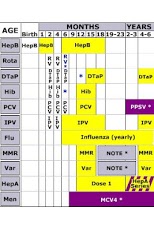
What vaccines would you recommend for a 10 month-old who has had only one dose of each of the basic vaccines and at what times would you have him return in order to catch-up? How about his cousin who babysits? She’s a 19 year-old college freshman with asthma who thinks she might be pregnant. Or their grandfather, a 62 year-old with diabetes? By the way, he has renal failure and is on dialysis.Download now and find all of these answers and more. SHOTS by STFM is an up-to-date digital immunization reference. Perfect for clinicians, teachers, and health care providers or for anyone who need quick answers to tough vaccination questions. SHOTS by STFM is the most comprehensive immunization app available. In addition to the complete set of CDC vaccine schedules and footnotes, it also includes graphics, images, and commentary. Important up-to-date information is available for each vaccine, including: basics, high risk indications, adverse reactions, contraindications, catch-up, administration, epidemiology, brand names, and additives.Since 2001, SHOTS by STFM has remained the premier point-of-care immunization resource. All content is written by immunization experts and has been reviewed by an expert from the US Centers For Disease Control and Prevention. Download the app and grab a vaccine vial. Let’s put an end to vaccine preventable disease!
About Shots 2012 CDC Immunizations
The company that develops Shots 2012 CDC Immunizations is Society of Teachers of Family Medicine. The latest version released by its developer is 7.
To install Shots 2012 CDC Immunizations on your Android device, just click the green Continue To App button above to start the installation process. The app is listed on our website since 2013-03-13 and was downloaded 0 times. We have already checked if the download link is safe, however for your own protection we recommend that you scan the downloaded app with your antivirus. Your antivirus may detect the Shots 2012 CDC Immunizations as malware as malware if the download link to org.Immunizationed.Shots is broken.
How to install Shots 2012 CDC Immunizations on your Android device:
- Click on the Continue To App button on our website. This will redirect you to Google Play.
- Once the Shots 2012 CDC Immunizations is shown in the Google Play listing of your Android device, you can start its download and installation. Tap on the Install button located below the search bar and to the right of the app icon.
- A pop-up window with the permissions required by Shots 2012 CDC Immunizations will be shown. Click on Accept to continue the process.
- Shots 2012 CDC Immunizations will be downloaded onto your device, displaying a progress. Once the download completes, the installation will start and you'll get a notification after the installation is finished.
Program Details
System requirements
Download information
Pricing
Version History
version 7
posted on 2013-03-13
version 7
posted on 2013-03-13
Several fixes and updates
Disclaimer
Official Google Play Link
We do not host Shots 2012 CDC Immunizations on our servers. We did not scan it for viruses, adware, spyware or other type of malware. This app is hosted by Google and passed their terms and conditions to be listed there. We recommend caution when installing it.
The Google Play link for Shots 2012 CDC Immunizations is provided to you by apps112.com without any warranties, representations or guarantees of any kind, so access it at your own risk.
If you have questions regarding this particular app contact the publisher directly. For questions about the functionalities of apps112.com contact us.
